Capture
Start from the menu bar or a global hotkey and record the system audio source already playing on your Mac.
Mac system audio sampler
Record audio playing on your Mac, trim it into loops, detect BPM and key, and keep every sample organized in one dark native library.
Built for fast capture
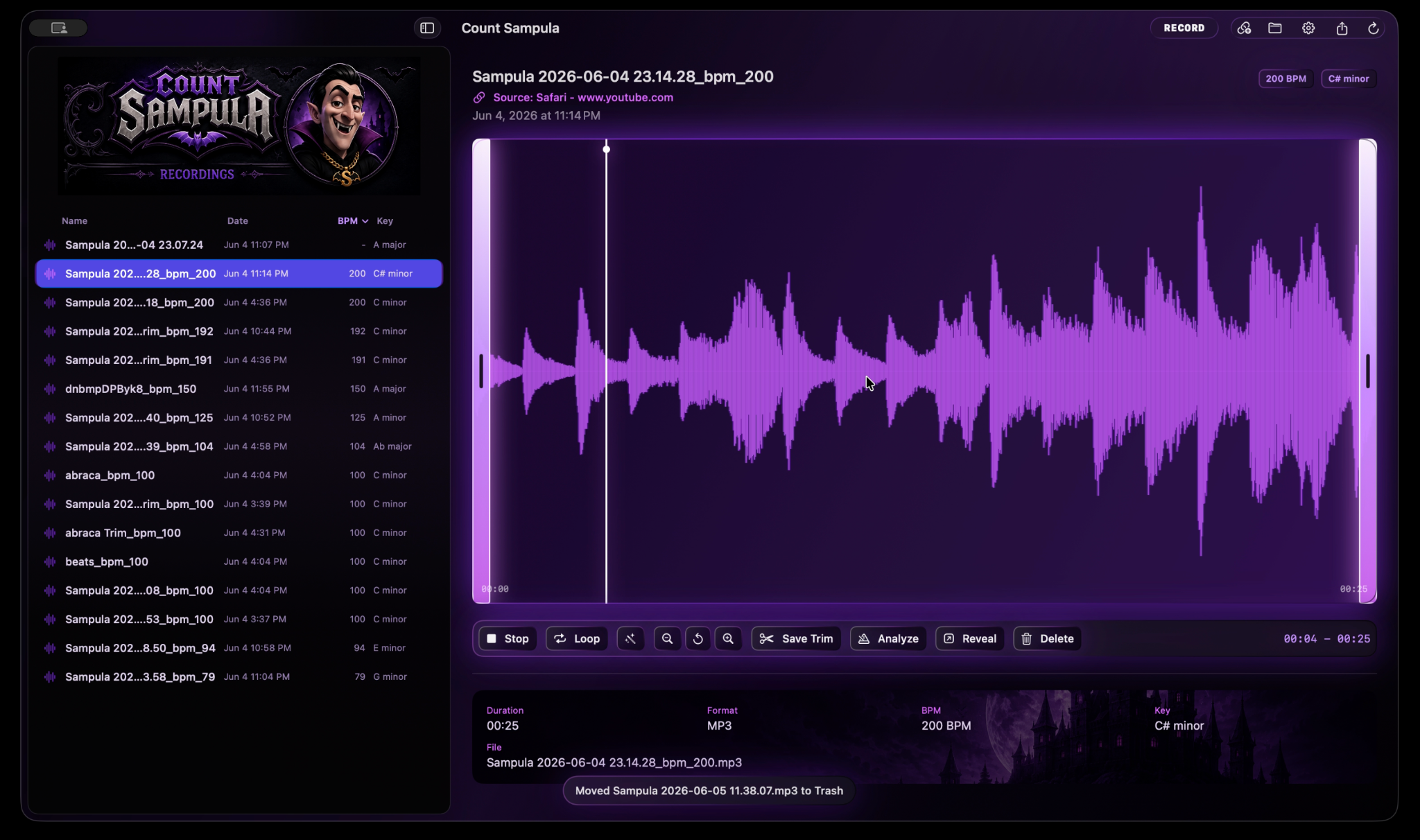
Count Sampula uses Apple's ScreenCaptureKit system-audio capture to record sound from browsers, music apps, videos, streams, games, and other apps. It excludes its own output to avoid feedback loops, then saves each take with waveform, timing, and source context ready to edit.
Workflow
Start from the menu bar or a global hotkey and record the system audio source already playing on your Mac.
Use the waveform editor to drag trim handles, loop a selection, zoom, pan, and save a clean clipped file.
Analyze BPM and key, keep source metadata, sort recordings, rename clips, and reveal files in Finder.
Feature stack
Tester build
The tester build includes the native app bundle and helper tools needed for the current macOS recording workflow. After opening the app, macOS may ask for Screen & System Audio Recording permission.
Ready when the idea hits
Open Count Sampula, record the sound, trim the loop, and send it back into your music workflow.
Download Tester Zip